I turned my Windows 11 handheld into a retro gaming beast with this app
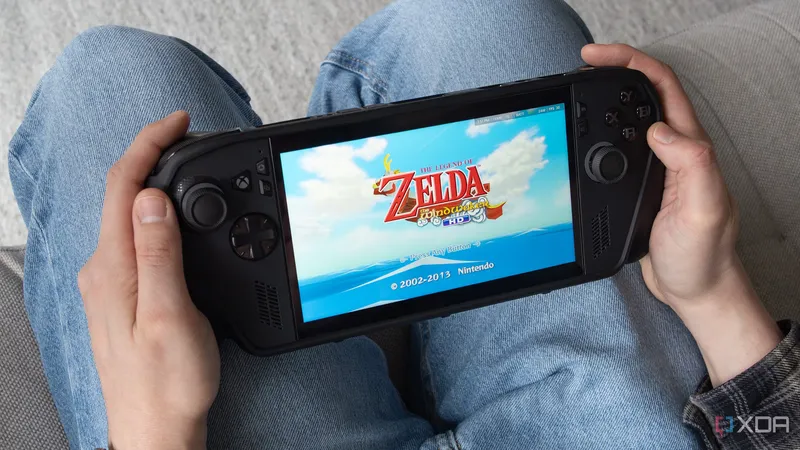
The author transformed their Windows 11 handheld gaming device, the ROG Xbox Ally X, into a retro gaming platform using the EmuDeck app. EmuDeck simplifies the setup of multiple emulators and organizes ROMs through a user-friendly interface, requiring minimal configuration. The tool supports various classic consoles and offers customization, updates, and cloud save options for an optimized retro gaming experience.
- ▪EmuDeck is an installation script that streamlines emulator setup on Windows 11 handhelds like the ROG Xbox Ally X.
- ▪The app supports emulators for consoles such as the Wii U, Dreamcast, Game Boy Advance, and PSP, using RetroArch for some platforms.
- ▪EmuDeck pre-configures controls and display settings, offers quick-access options, and includes EmulationStation for easy ROM management.
- ▪Users can keep emulators updated and import BIOS files without navigating the Windows file system after initial setup.
- ▪Cloud saves and cross-platform syncing are available through a $4/month EmuDeck Patreon subscription.
Opening excerpt (first ~120 words) tap to expand
{ "@context": "https://schema.org", "@type": "BreadcrumbList", "itemListElement": [ { "@type": "ListItem", "position": "1", "name": "Home", "item": "https://www.xda-developers.com/" }, { "@type": "ListItem", "position":"2", "name": "Entertainment", "item": "https://www.xda-developers.com/entertainment/" }, { "@type": "ListItem", "position":"3", "name": "I turned my Windows 11 handheld into a retro gaming beast with this app", "item": "https://www.xda-developers.com/i-turned-my-windows-11-handheld-rog-xbox-ally-x-into-retro-gaming-beast-this-app/" } ] } I turned my Windows 11 handheld into a retro gaming beast with this app By Patrick O'Rourke Published May 2, 2026, 11:34 AM EDT Patrick O'Rourke is XDA's News Editor and Entertainment Segment Lead.
…
Excerpt limited to ~120 words for fair-use compliance. The full article is at XDA.
Discussion
0 commentsMore from XDA