I tested dual-boot, WSL2, and VMs to run Linux apps on Windows, and only one was worth keeping
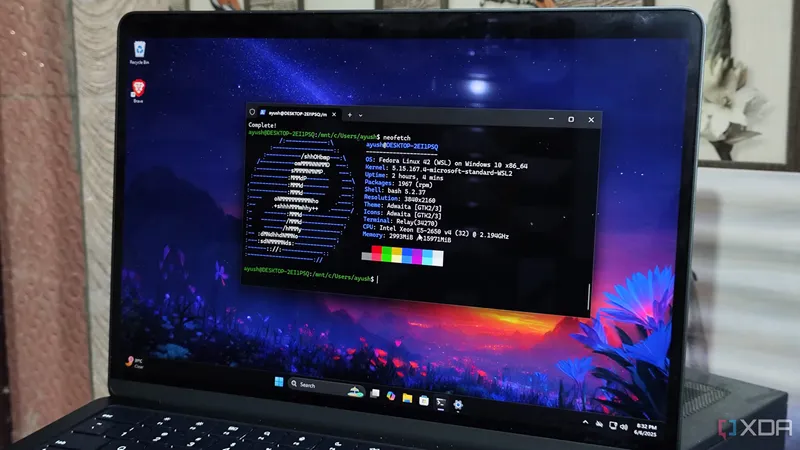
The author tested dual-boot, WSL2, and virtual machines to run Linux applications on Windows and found WSL2 to be the most effective solution for most use cases. While dual-boot and VMs offer benefits for specific tasks like gaming or hardware access, they come with added complexity and overhead. WSL2 provides a seamless, low-friction environment for running Linux tools directly on Windows 11.
- ▪Dual-boot was once the preferred method for running Linux alongside Windows but is now less practical for most users.
- ▪Virtual machines are beginner-friendly and safe for experimentation but carry performance overhead.
- ▪WSL2 is the most efficient and integrated way to run Linux apps on Windows 11.
- ▪The author previously used a Windows and Debian dual-boot setup primarily for gaming performance tests.
- ▪For non-gaming tasks like Docker or development, WSL2 outperforms both dual-boot and VMs.
Opening excerpt (first ~120 words) tap to expand
{ "@context": "https://schema.org", "@type": "BreadcrumbList", "itemListElement": [ { "@type": "ListItem", "position": "1", "name": "Home", "item": "https://www.xda-developers.com/" }, { "@type": "ListItem", "position":"2", "name": "Linux", "item": "https://www.xda-developers.com/linux-hub/" }, { "@type": "ListItem", "position":"3", "name": "I tested dual-boot, WSL2, and VMs to run Linux apps on Windows, and only one was worth keeping", "item": "https://www.xda-developers.com/i-tested-dual-boot-wsl-and-vms-to-run-linux-apps-on-windows/" } ] } I tested dual-boot, WSL2, and VMs to run Linux apps on Windows, and only one was worth keeping By Ayush Pande Published May 2, 2026, 12:30 PM EDT Ayush Pande is a PC hardware and gaming writer.
…
Excerpt limited to ~120 words for fair-use compliance. The full article is at XDA.
Discussion
0 commentsMore from XDA