Show HN: iClaw is part OpenClaw, part Siri, powered by Apple Intelligence
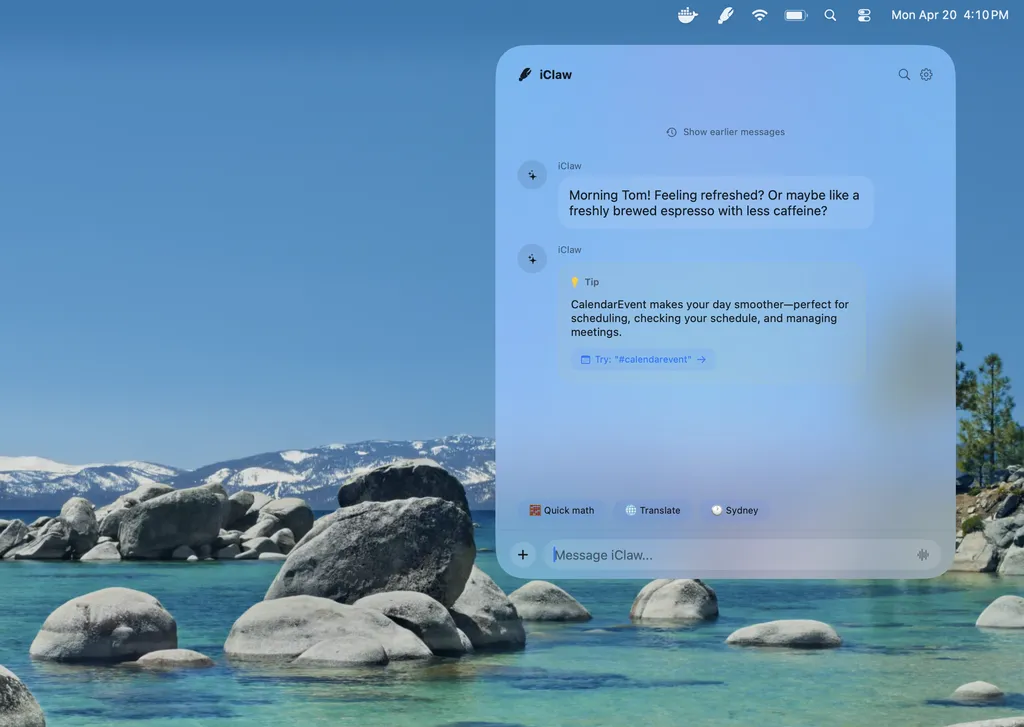
Today I’m announcing iClaw, an on-device AI agent for macOS, and explaining why you can’t replicate OpenClaw with Apple’s 3B Foundation Model.
Full article excerpt tap to expand
I recently shared Junco, an on-device AI agent that uses Apple Intelligence to write and edit Swift code. Today I’m sharing iClaw, an experimental local AI agent for macOS designed around safety and privacy.Screen recording of iClaw local AI agent on macOSiClaw started as a SundAI hackathon project in March. Although our demo failed, we learned many lessons I’ll share. But first:Why Build iClaw? #Technologies like OpenClaw are transformative, and while it’s among the fastest-growing GitHub repositories, it hasn’t crossed the chasm into mainstream use. I suspect non-technical users lack the time, knowledge, patience, and risk appetite to purchase a Mac Mini and AI credits, configure agents, and give them access to their personal accounts.iClaw is fundamentally different. It’s designed to use the AI you already have (Apple Intelligence), without buying credits or a subscription. Built inside Apple’s App Sandbox, iClaw focuses on safety, security, and privacy: it only accesses files, data, and accounts you give it explicit permission to. As a bonus, on-device AI is green—using orders of magnitude less energy than frontier data centers.What can iClaw do? #At present, iClaw is basically a bad Siri. Ask it for the weather, a stock quote, a Wikipedia summary, or some basic math. It uses Apple’s tools to read calendar events, search through email, transcribe a podcast, or translate a document. But iClaw (and general-purpose on-device AI) has some major limits today. Small models excel at executing a single, narrowly defined task, but they fail at task decomposition and “reading between the lines.” If you don’t spell out exactly what you want, on-device AI models are much more likely to make mistakes.Some of iClaw’s key features include:Just-in-time Permissions. iClaw doesn’t use blanket permissions or policies. It lives in the App Sandbox and asks permission whenever it wants to read your Calendar or send an iMessage.Browser Bridge. iClaw can read and interact with Safari, Chrome, or Firefox through a Web Extension.Dynamic Widgets. iClaw creates on-the-fly widgets using it’s own DSL, so you don’t have to read a wall of text.What’s exciting is what iClaw could do with an updated model and an improved harness.What could iClaw do? #iClaw suffers because it tries to augment a constrained model (Apple’s 3B Foundation Model) with natural language processing (NLP) and machine learning (ML) classifiers. As a task gets more complex, or the number of tools expands, the model gets distracted, makes mistakes, or outright refuses to do anything!In building iClaw, I’ve explored lots of applications and integration surfaces. Of the many ideas I had for iClaw, a few still hold promise.Personalized Email Triage: use MailKit and Apple Intelligence to privately and securely triage, tag, filter, forward, and delete incoming emailsMac-iPhone Continuity: use Apple Intelligence and iCloud Sync to search your MacBook’s files via Spotlight on the go from your iPhoneAutomate Everything: use Apple Intelligence to author custom AppleScript automation for transcription, conversion, batch image editing, and moreBackground Browsing: natively bridge a Safari Extension to Apple Intelligence so AI can browse real estate listings, classifieds, and social media on your behalfLearned Skills: Skills written in Markdown are simple, but not intuitive for the average user. A better approach would be to “learn” common tasks and codify them into SkillsApple itself may be exploring…
This excerpt is published under fair use for community discussion. Read the full article at Barrasso.