NYC Commute POV
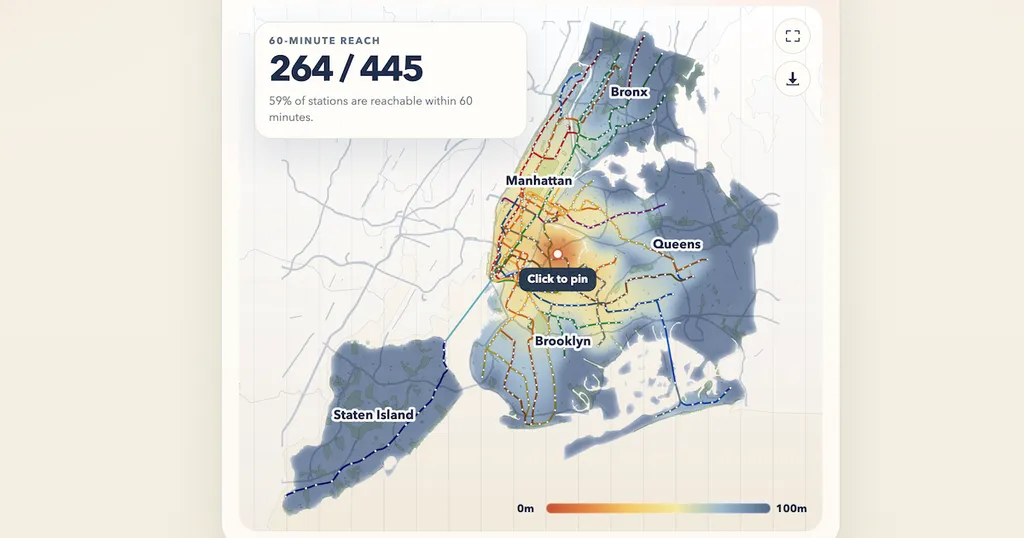
A new interactive tool allows users to visualize subway commute times in New York City. By selecting an origin point on the map, users can see how much of the subway network is accessible within an hour. The tool includes features for adjusting settings and saving locations for future reference.
- ▪Users can touch and drag on the map to generate a heatmap of subway accessibility.
- ▪The tool allows users to measure commute times from any chosen origin point.
- ▪It includes options to save settings and share locations.
Opening excerpt (first ~120 words) tap to expand
Commute-time warp Loading transit network… Settings warp heatmap outline Maximum transit time 60 min Reset defaults Save How It Works Touch and drag anywhere on the map to generate your heatmap. Touch again to measure commute time. Pins can be dragged to reposition them. 60-Minute Reach -- / -- Choose an origin to see how much of the subway you can reach in an hour. Use My Location Share... 0m 80m Map controls Mobile Origin Tap the map to place an origin Tap anywhere on the map to pin your starting point, then search, share, or adjust layers from here. Clear 60-Minute Reach -- / -- Choose an origin to see how much of the subway you can reach in an hour.
…
Excerpt limited to ~120 words for fair-use compliance. The full article is at NYC Commute POV.
Discussion
0 commentsMore from NYC Commute POV