LibreOffice Tips and Tricks: Replacing Microsoft Fonts (2020)
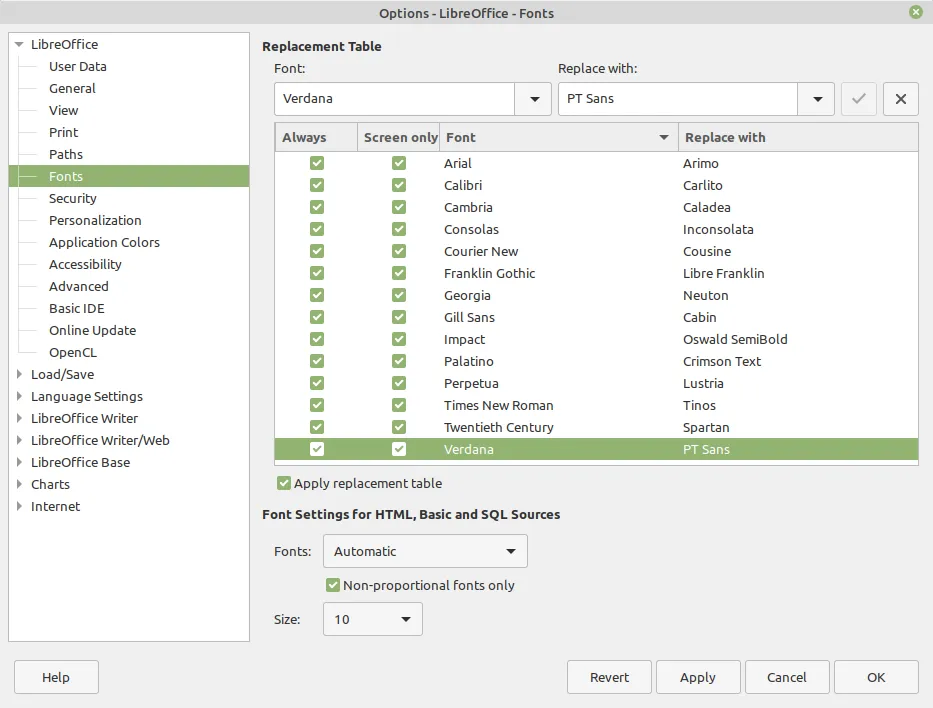
LibreOffice faces interoperability issues with Microsoft Office due to font compatibility. Users often encounter problems when Microsoft fonts are not available, leading to visual discrepancies in documents. To mitigate this, LibreOffice allows users to configure a font replacement table to maintain document appearance.
- ▪Microsoft Office documents frequently use proprietary fonts that are not available in LibreOffice.
- ▪LibreOffice replaces unavailable fonts with default Liberation fonts, which can alter the document's visual appearance.
- ▪Users can configure a font replacement table in LibreOffice to minimize discrepancies by defining metrically compatible or similar fonts.
Opening excerpt (first ~120 words) tap to expand
LibreOffice Tips & Tricks: Replacing Microsoft Fonts 2020-09-08 Italo Vignoli Fonts are one of the main culprits of LibreOffice interoperability problems with Microsoft Office documents, when viewed from the end user’s point of view. In fact, Microsoft Office document are often using one of the default fonts – either the old “Core Fonts for the Web” (deprecated in 2002, but still in use) or the new “ClearType Fonts” (launched in 2000, and now adopted by Windows and Office) – which are not always available in LibreOffice, as they are proprietary and cannot be distributed with open source software.
…
Excerpt limited to ~120 words for fair-use compliance. The full article is at TDF Community Blog.
Discussion
0 commentsMore from TDF Community Blog