Bring Back That Aged Scanner, in Your Browser
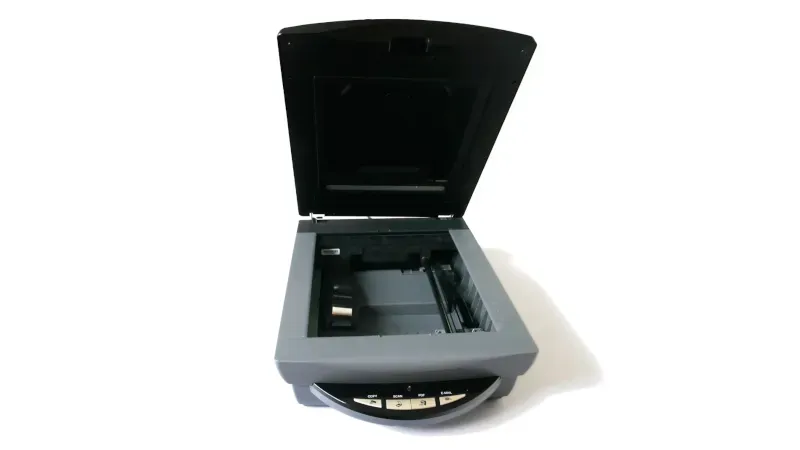
A new technique allows users to keep older peripherals, like USB scanners, functional through a browser-based solution. This method utilizes a minimalist x86 computer environment running in the browser, enabling communication with real-world hardware via WebUSB. It offers a quick and installation-free way to support aged devices, potentially applicable to various hardware types.
- ▪Older peripherals often become unusable due to lack of operating system support.
- ▪A minimalist x86 computer runs in the browser to support devices like USB scanners.
- ▪The solution uses WebAssembly and a minimal Alpine Linux environment to operate without installation.
Opening excerpt (first ~120 words) tap to expand
Bring Back That Aged Scanner, In Your Browser No comments by: Jenny List May 20, 2026 Title: Copy Short Link: Copy We have probably all at some point had to replace a peripheral not because it is faulty, but because it is no longer supported by our operating system. It’s especially bad for Windows users, but for older hardware this is increasingly a part of the Linux experience too. [George MacKerron] is here with what may prove to be a valuable technique to keep these devices active. He’s running a minimalist x86 computer in the browser, with just enough OS to support the device. In this case the hardware is a USB scanner, and the resulting software takes a WebAssembly x86 emulator and adds a bit of glue software allowing it to use WebUSB to talk to the real-world hardware.
…
Excerpt limited to ~120 words for fair-use compliance. The full article is at Hackaday.
Discussion
0 commentsMore from Hackaday